 02
02Replacing WeChat groups and Excelwith one systemthree roles can actually trust
Universities manage academic competitions through spreadsheets, group chats, and manual processes. This graduation project delivered a complete B/S system with role-based workflows for administrators, teachers, and students — covering the full lifecycle from competition publishing to result archiving.
01 - Context
A graduation project that had to work like a real product
A campus with 8,000+ students, 12 departments, and 100+ academic competitions every year — all managed through WeChat groups and Excel files. My graduation brief was to replace that entire workflow with a structured system.
I was the sole designer and developer — every product decision from data model to button placement was mine to make and defend in front of the graduation committee.
02 - Problem Statement
Competition info lived in group chats and spreadsheets nobody maintained
Typical workflow before this system: an admin posts competition details in a WeChat group, students' questions get buried in chat history, teachers collect registrations via shared Excel, and results end up in different folders on different computers every semester.
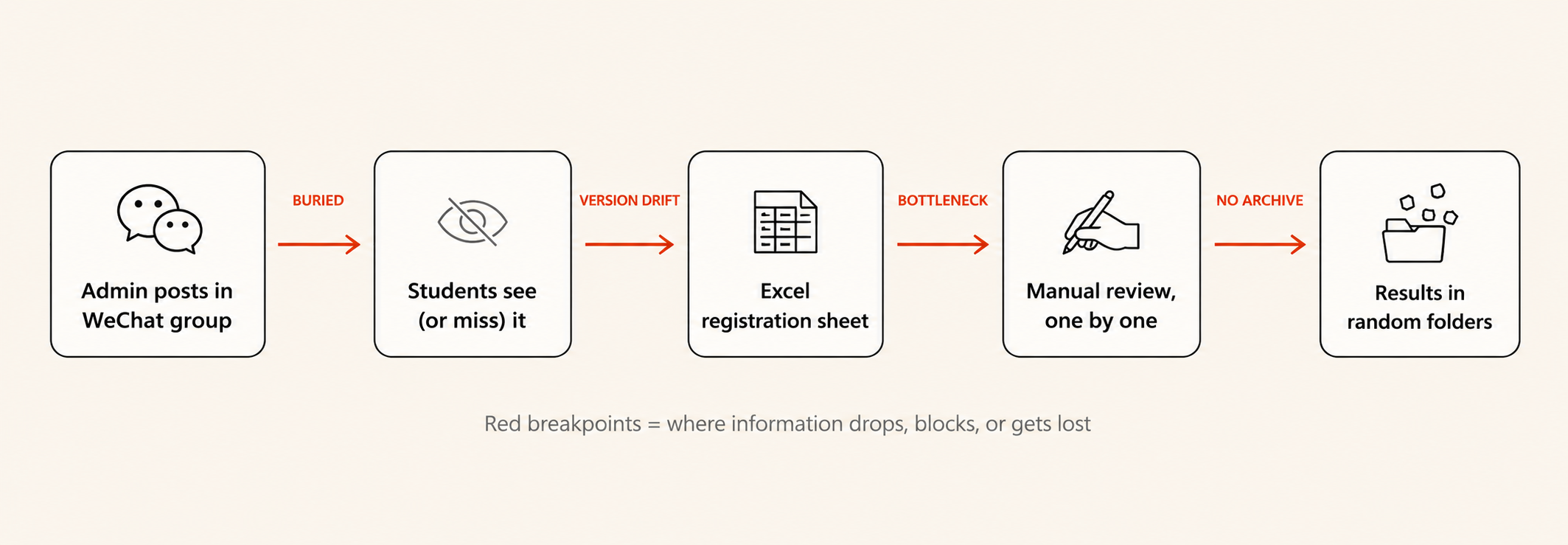
The four points where information dropped, blocked, or got lost in the old workflow
01 · No single source of truth
Competition details, deadlines, and registration status scattered across WeChat, email attachments, and multiple Excel versions. Students miss deadlines because they can't find the latest info.
02 · Manual review bottleneck
Teachers review registrations one by one in spreadsheets with no status tracking. Peak periods (100+ registrations/week) create delays and lost submissions.
03 · No historical data
Past results aren't archived systematically. When the university needs participation statistics for accreditation reports, staff spend days collecting data from old files.
03 - Hypothesis
If the lifecycle becomes a state machine, four tools collapse into one
“If we encode the full competition lifecycle as a server-side state machine and pin every action to a role, the system can replace four tools — WeChat, Excel, email, and file folders — with one. And reviewers can stop tracking state in their heads.”
This was the bet the whole project rode on. If true, the system's value isn't “more features” — it's collapsing tool-switching cost and removing the human as the state-tracking bottleneck. Everything downstream (data model, permissions, UI) was derived from this hypothesis.
04 - Business Loop
Five offline steps, one auditable state machine
The full loop: admin publishes a competition → students submit registrations → teachers review → system pushes notifications → students see results. Every step writes to the same record, so progress is locatable, explainable, and auditable.
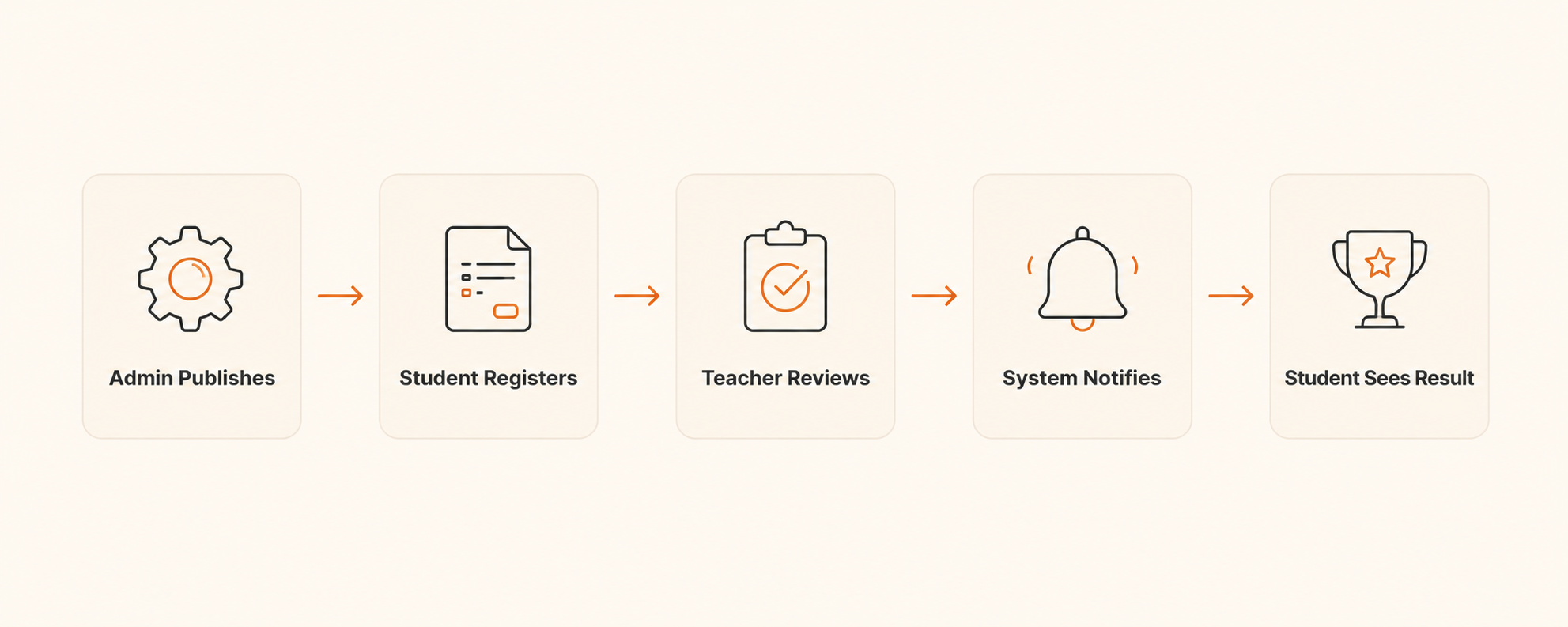
Five-step loop driven by role permissions and status fields
05 - Solution Approach
One data model, three role-driven workflows
Competition management isn't one workflow — it's three workflows sharing the same data. Admins publish and configure; teachers review and manage results; students browse, register, and check outcomes. Each role needs a different view of the same underlying system.
Considered · Low-code (DingTalk Yida / Jiandaoyun)
Rejected: row-level permissions across three roles aren't expressible in form-builder logic, and demos at 100 concurrent users hit platform throttling.
Considered · Monolithic dashboard with role flags
Rejected: client-side role conditionals leak admin field names through DOM inspection. Permissions belonged on the server, not in CSS visibility.
Chosen · Frontend-backend split + server-side RBAC
Three tailored interfaces share one API and one database. RBAC enforced at the API layer means a tampered frontend still can't escalate privileges.
“The project forced me to think beyond individual pages. Each module had to fit the same role model, permission rules, and lifecycle state logic so the system would feel coherent end to end.”
06 - Product Design
Designing for three users who see the same data differently
The central challenge was information architecture. The same competition record means different things to different roles: configuration to admin, a review queue to teacher, a registration card to student. One data model, three mental models.
Permission as UX
Each role gets a tailored dashboard. A student never sees admin controls — not hidden, just genuinely a different interface.
Lifecycle as navigation
Competition state (Draft → Published → Registration → Review → Results → Archived) drives what actions surface, instead of a static sidebar.
Batch over one-by-one
Teachers' biggest pain was reviewing registrations one at a time. The review interface is built around batch select, approve/reject, and bulk notes.
Data as institutional memory
Every registration, decision, and result is timestamped and attributed — the system becomes the university's archive automatically, no extra step.
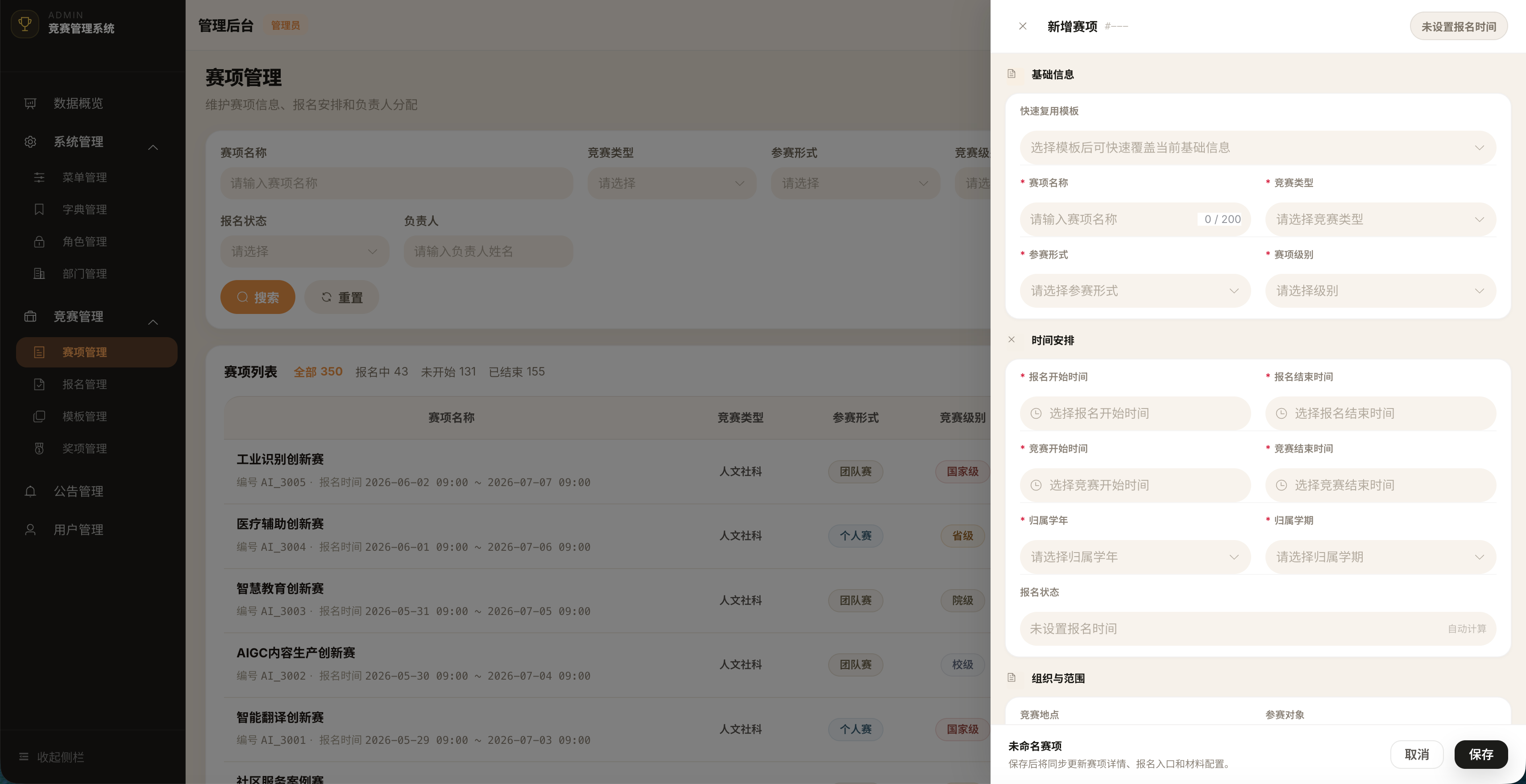
Admin · publish & configure
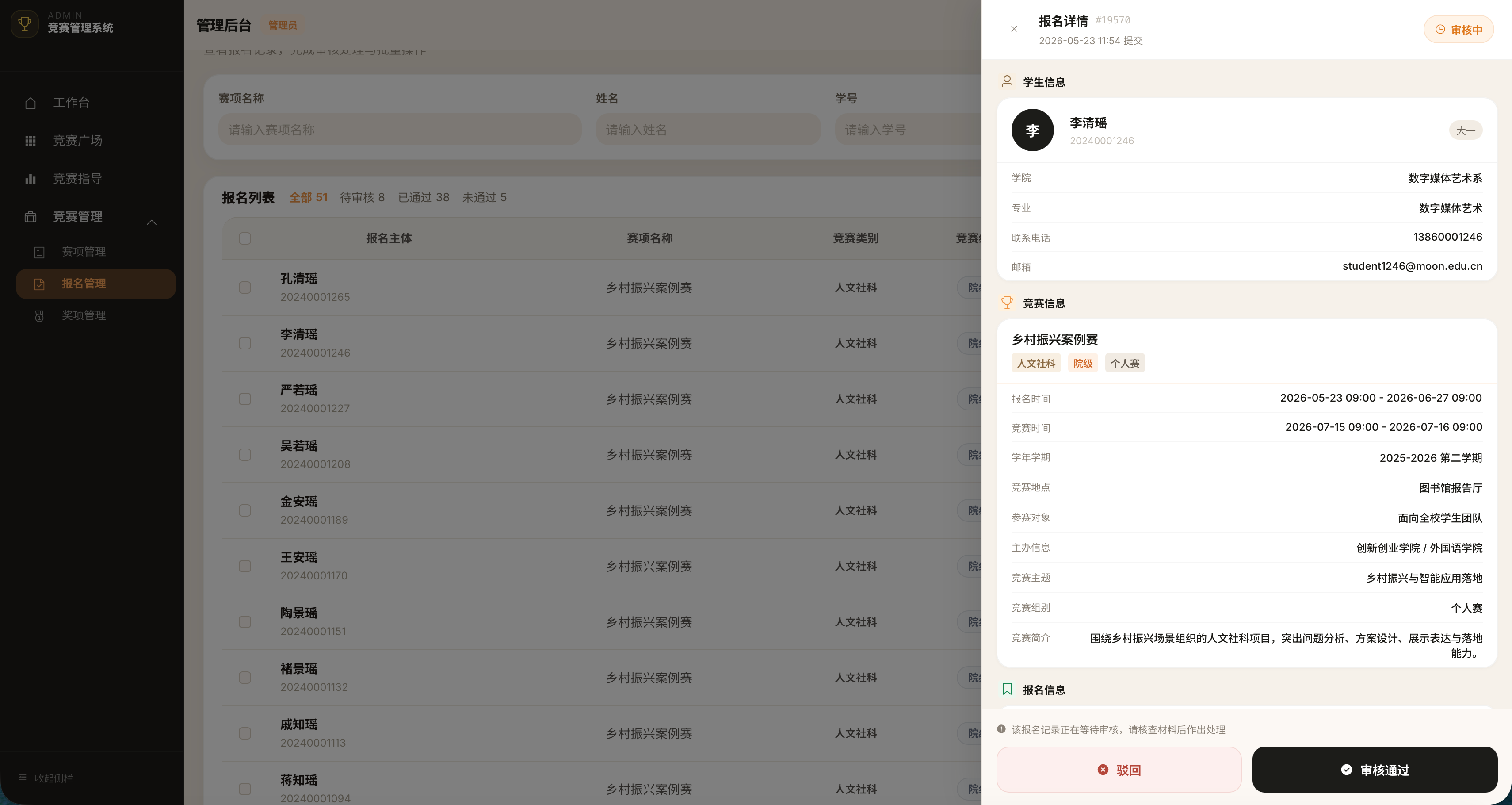
Teacher · batch review
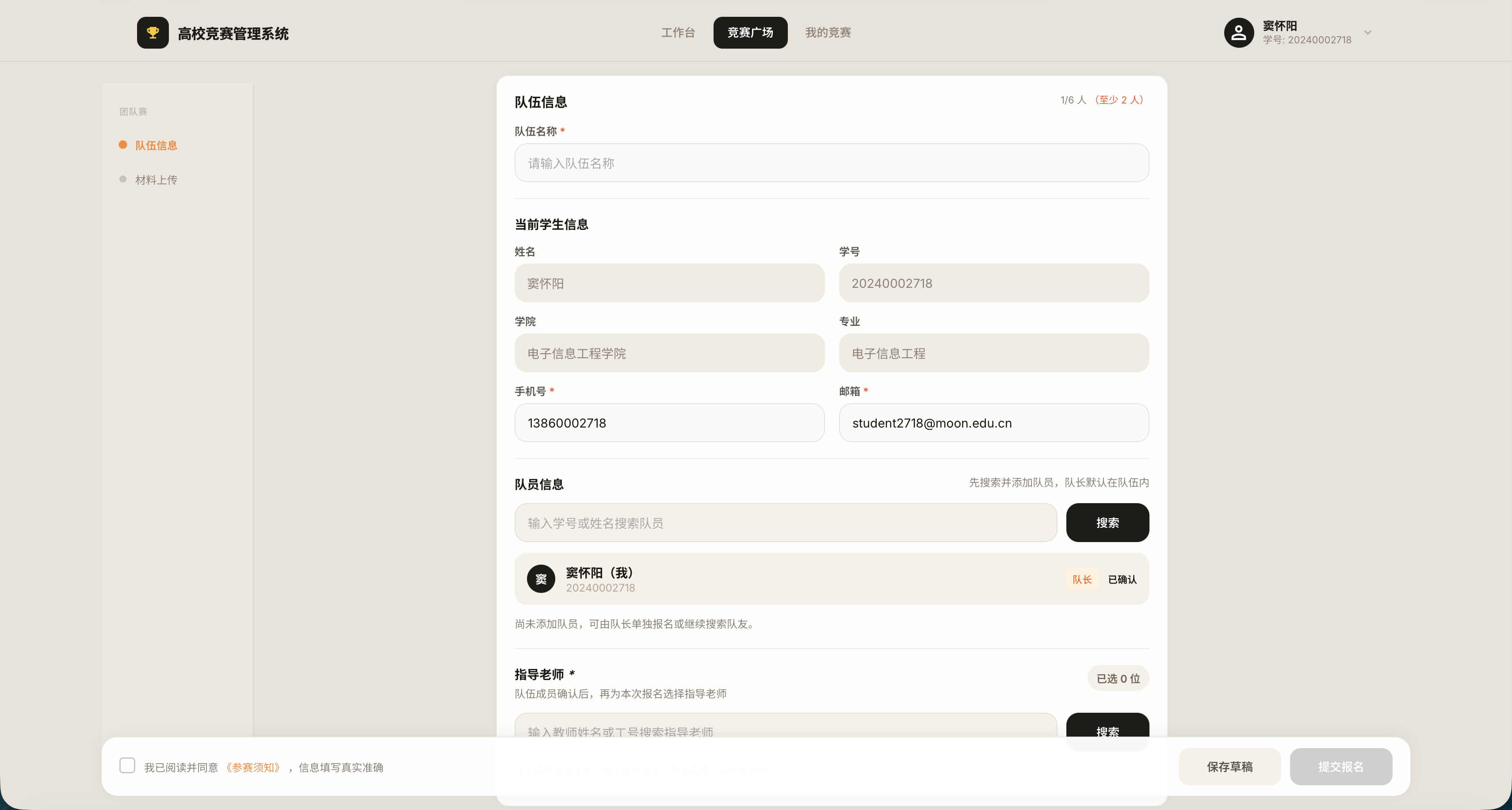
Student · browse & register
07 - Key Design Decisions
Four decisions worth defending in front of the committee
08 - Technical Foundation
Architecture decisions that kept the demo stable
Spring Boot + Vue 3 with JWT auth and Redis-backed token blacklisting. A 15-table normalized schema designed for queries like “all registrations for competition X, grouped by team, with reviewer info”. JMeter at 100 concurrent users exposed an N+1 on category joins — fixed with eager loading, P95 dropped from 1.2s to 180ms.
These weren't engineering vanity — they were the difference between a smooth live defense and a frozen screen in front of the committee.
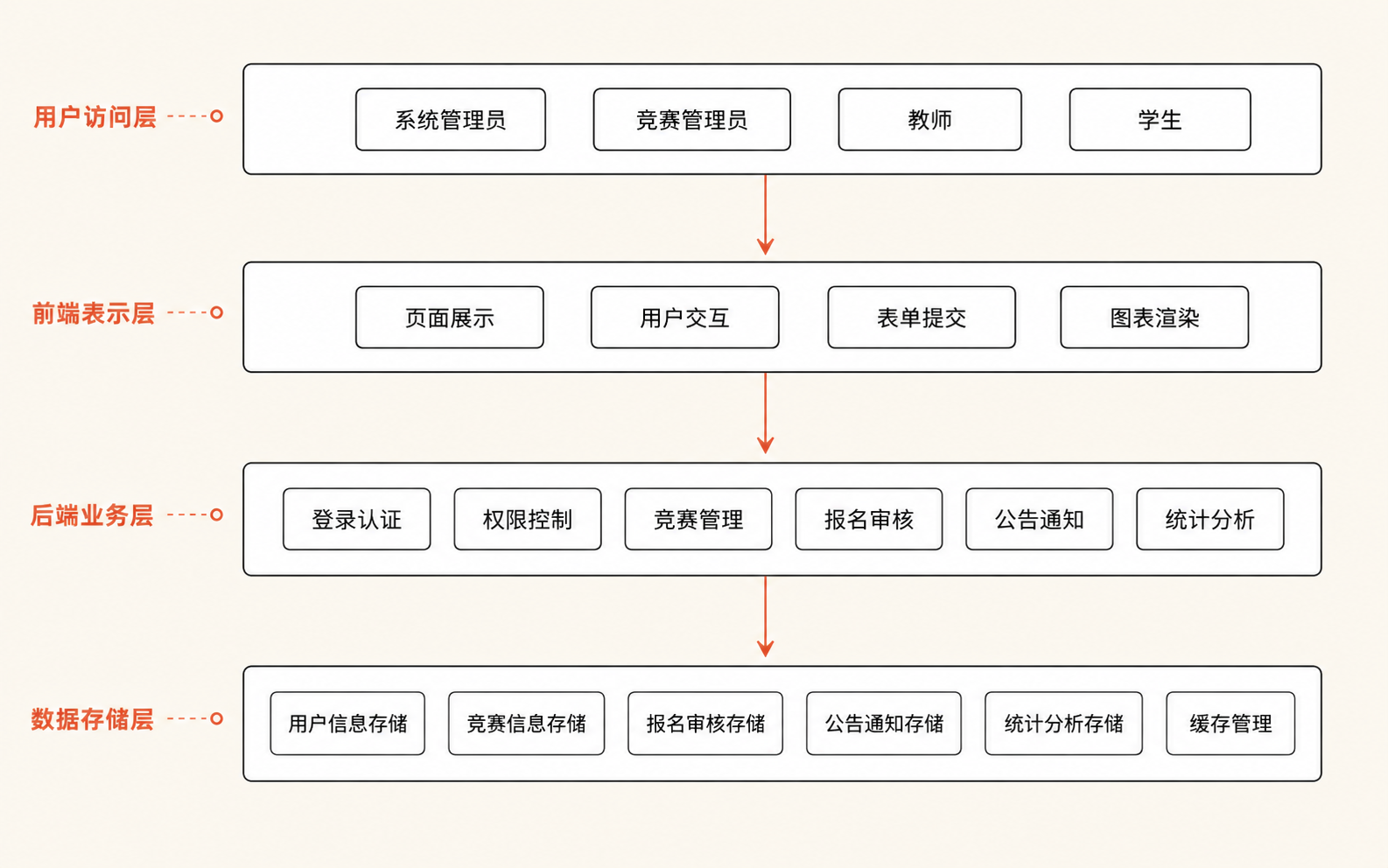
Layered architecture · Vue → Axios → Controller → Service → MySQL/Redis
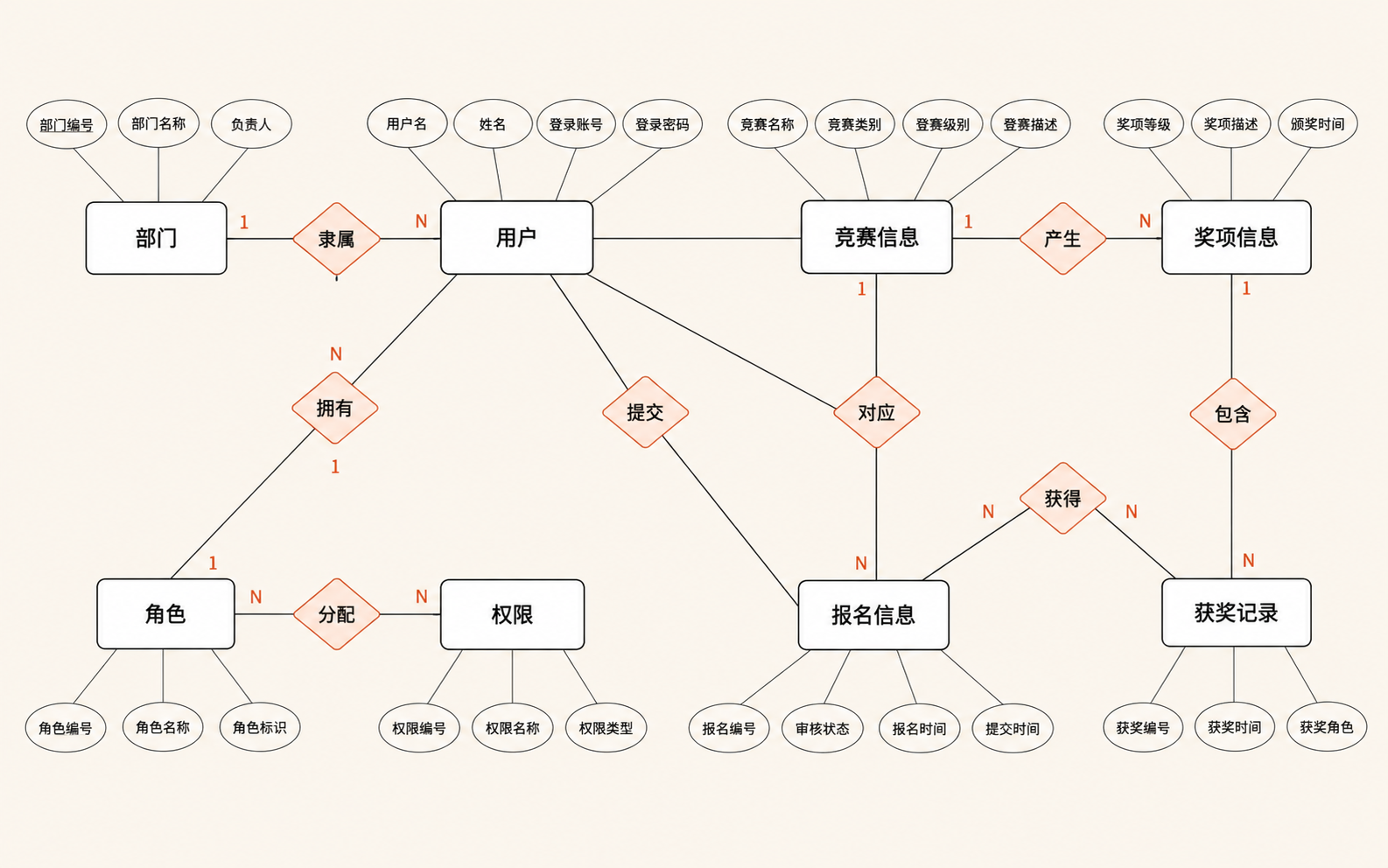
15-table normalized schema
09 - Results
What actually held up under load — and in front of the committee
This was a graduation project, not a production deployment — the numbers below are demo-scale evidence, not user adoption. They describe what the system can do, validated under load and in a live 30-minute defense.
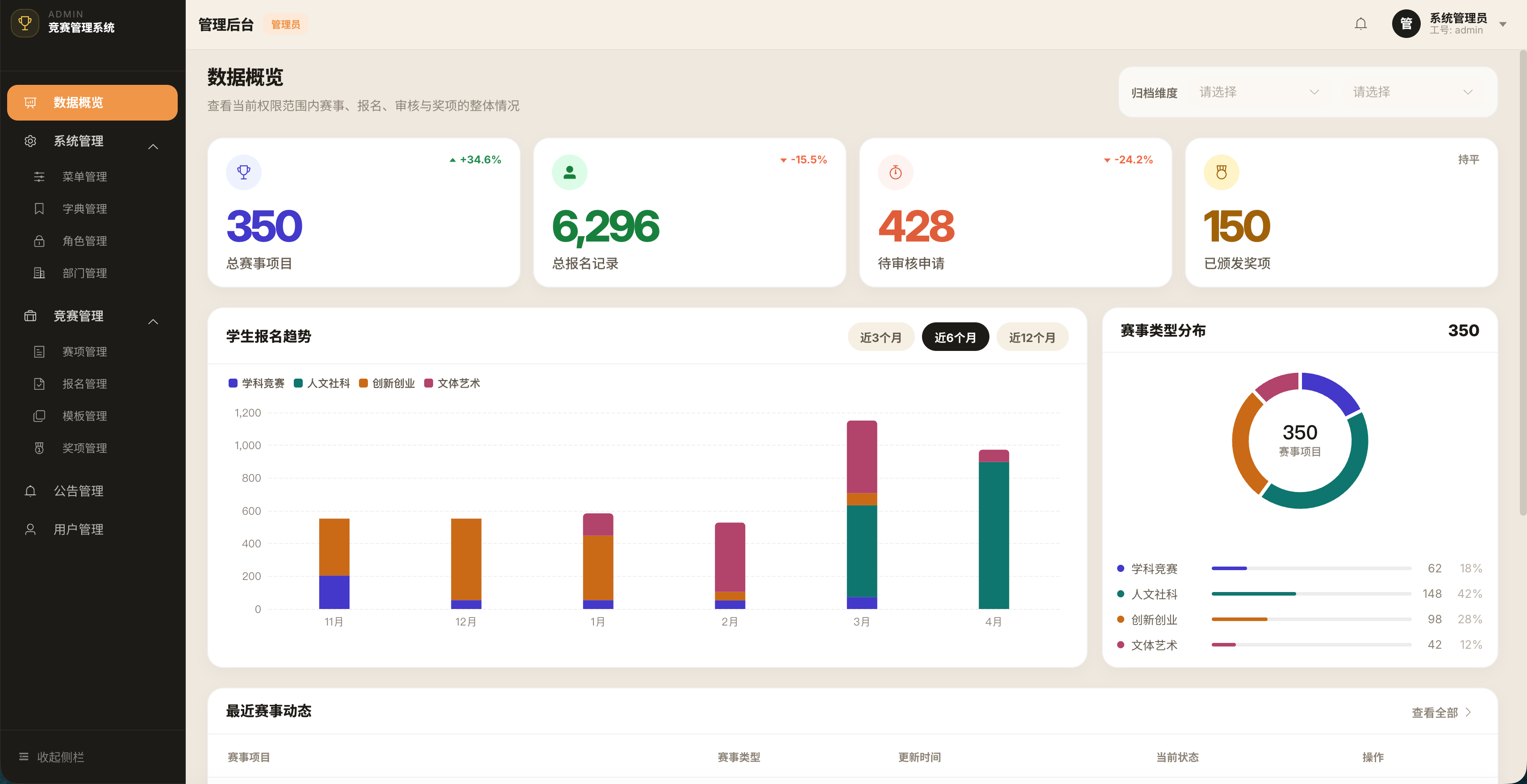
Admin dashboard at full demo capacity: 350+ competitions, 6,296 registration records, 428 archived awards, 150 categories (seed data modeled on the university's actual schedule).
Full lifecycle coverage
Every state transition exercised end-to-end: draft, publish, open registration, review, result publication, archive. Each path demonstrated live.
Concurrency validated under load
JMeter at 100 concurrent users confirmed peak-registration capacity. The N+1 fix (P95: 1.2s → 180ms) held up against the full seeded dataset.
Defense: live demo, passed top-tier
All three role workflows demonstrated live without a fallback recording. Committee highlighted the RBAC design and the system's ability to handle the full lifecycle without manual intervention.
10 - Lessons Learned
What I learned doing this end to end
11 - What's Next